DEVFORGE
A downloadable tool for Windows and macOS
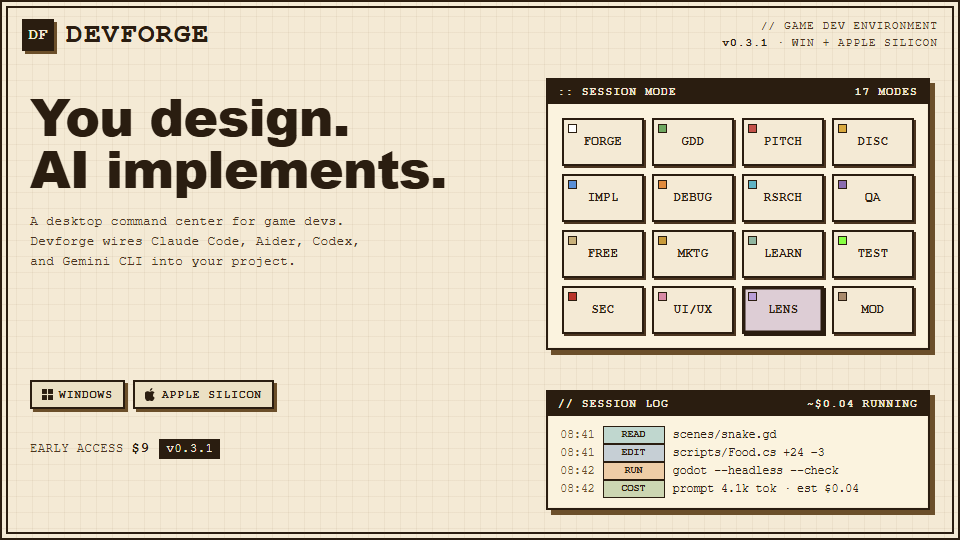
A game dev terminal that knows your project cold.
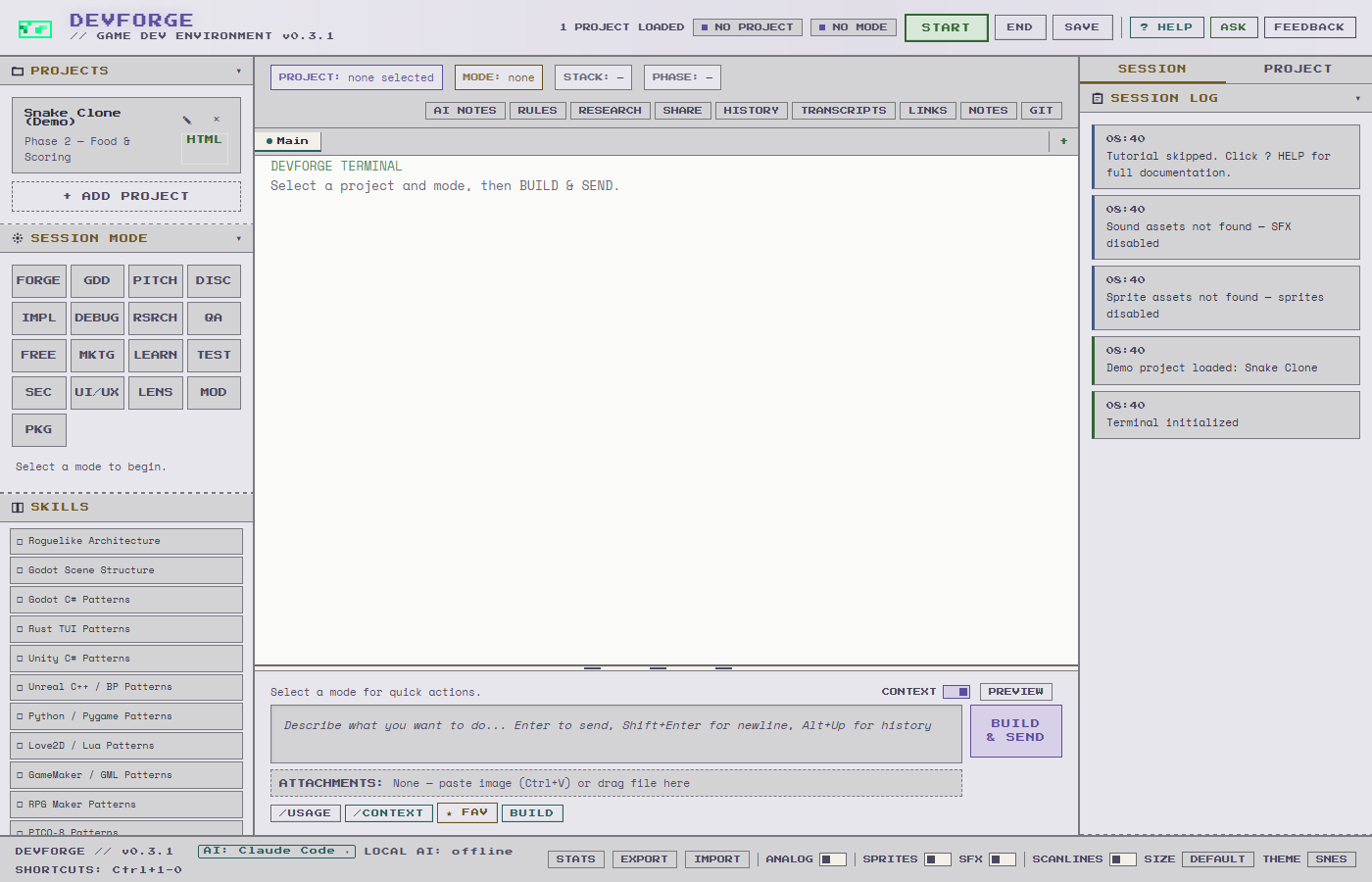
Your GDD stays loaded. Claude reads it before every session, along with your stack, your tasks, and last session's notes.
v0.4.0 live · $9 early access · No subscription · Windows + macOS
Full site with screenshots, roadmap, and details: usedevforge.com
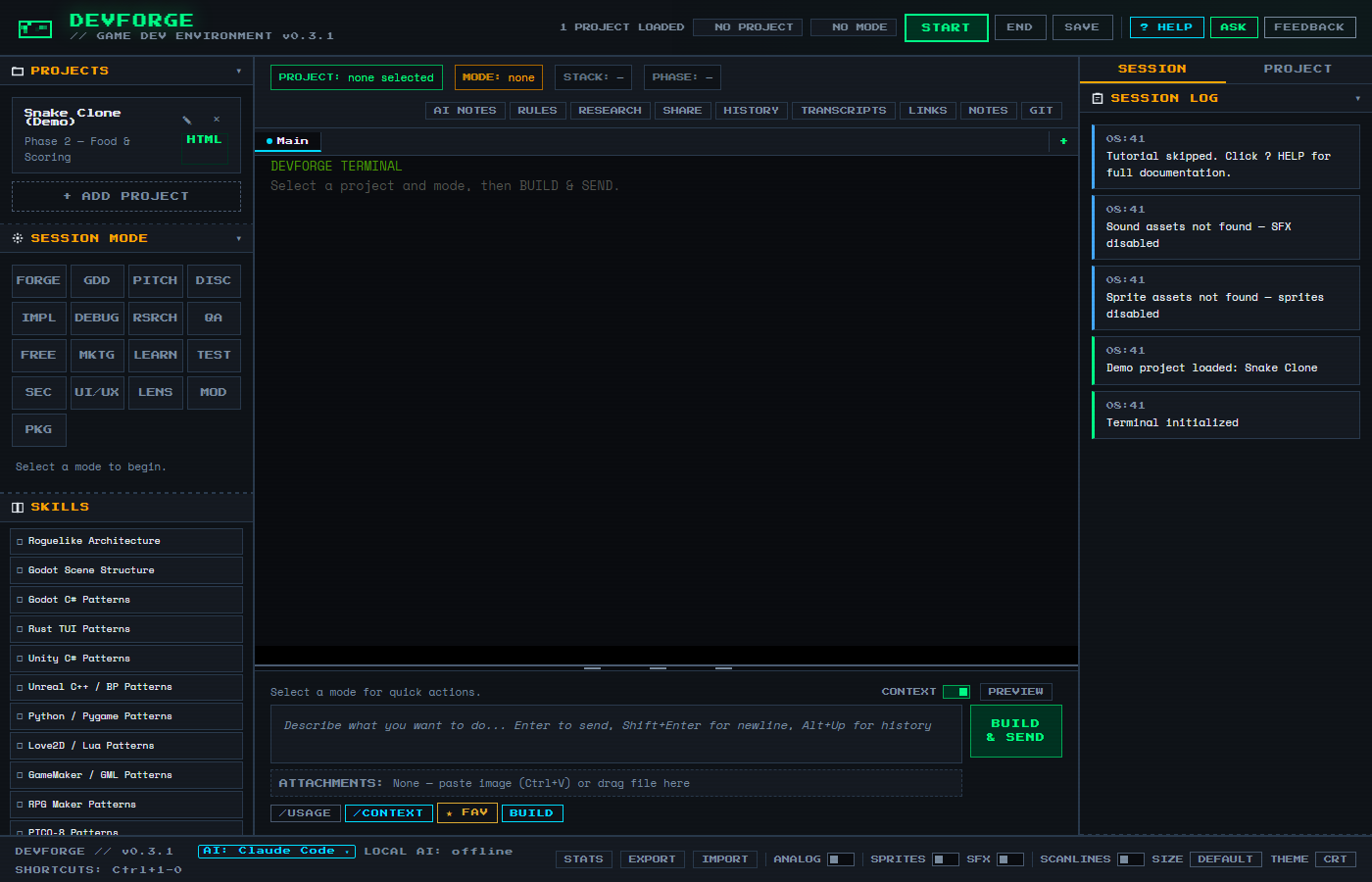
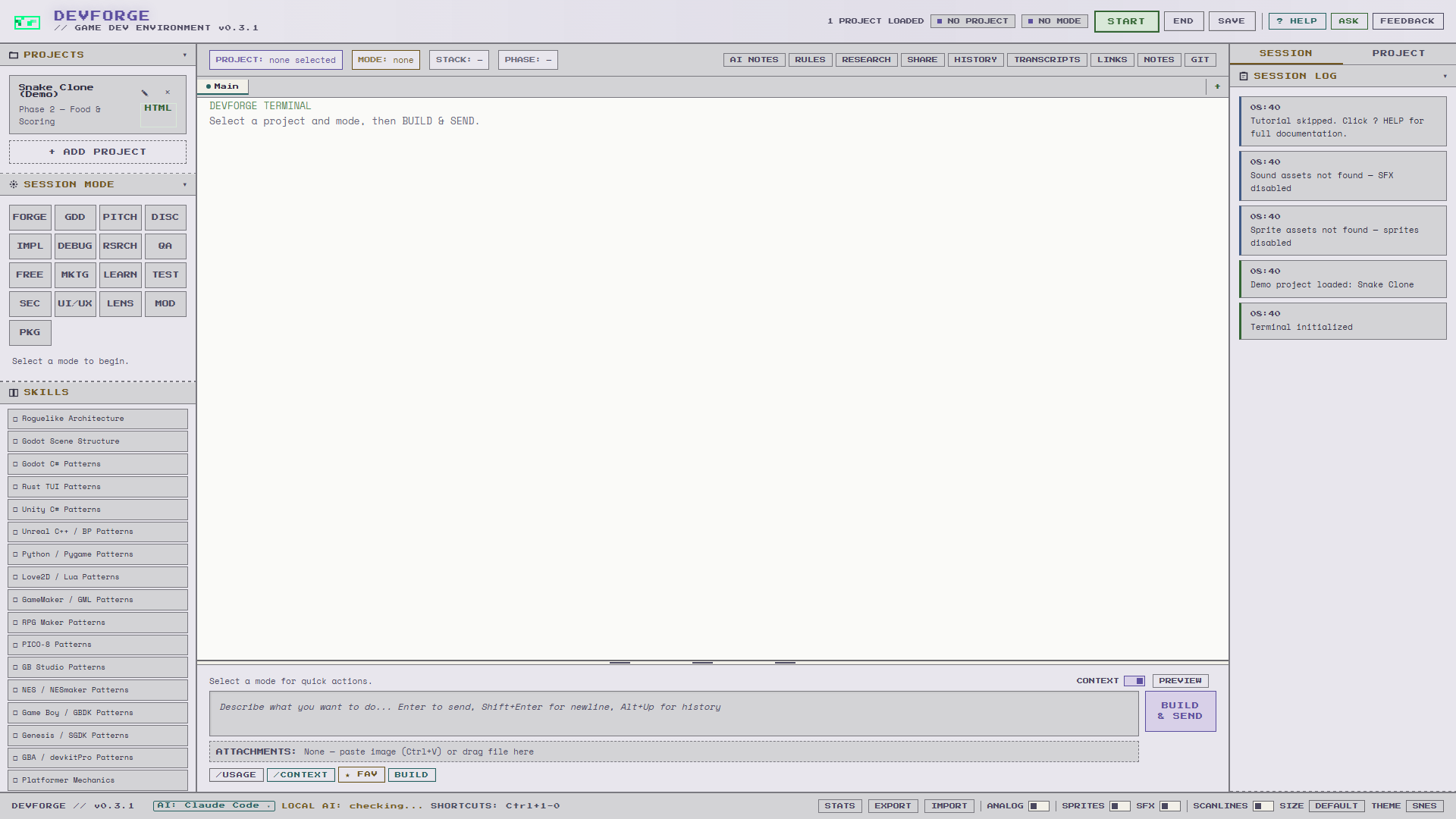
DevForge is a structured UI that wraps AI coding tools. You make the design decisions. DevForge handles context, modes, and version control so Claude stays focused on your project.
What you get.
Your GDD Runs the Show - Claude reads your design doc before every prompt. Your vision stays intact.
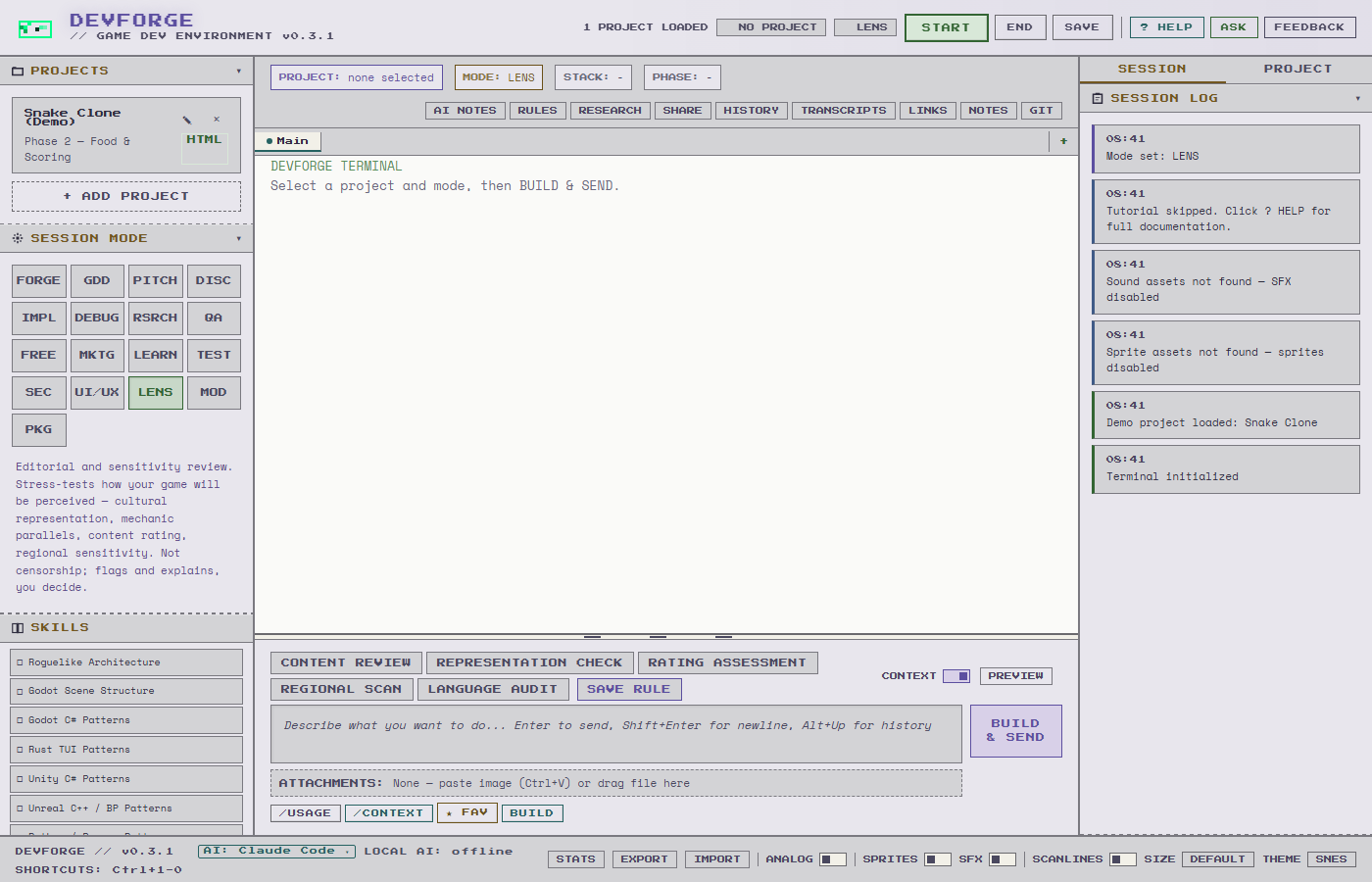
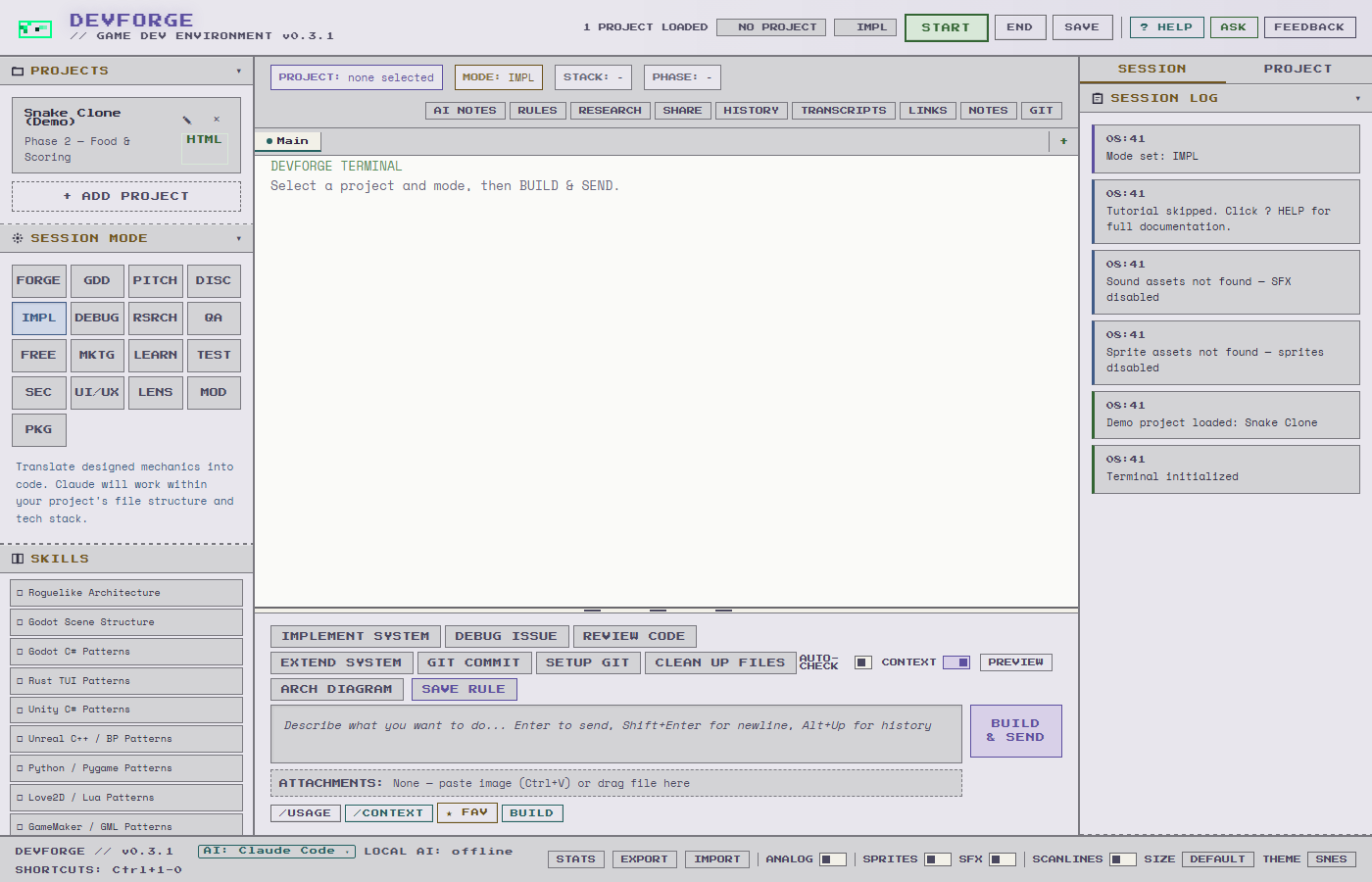
17 Modes, 17 Jobs - Each mode locks Claude to one job. MOD builds mods. PACKAGE handles distribution. LENS stress-tests how content will be perceived.
Git Safety Net - Session branches, safety snapshots, one-click undo. Built for people who don't touch git.
Smart Model Routing - DevForge picks the right Claude model per task. Opus for architecture, Sonnet for implementation, Haiku for quick lookups. Saves subscription time on simple tasks.
Claude Learns Your Rules - Ollama suggests project rules after each session. You accept or reject. Claude reads them next time.
Nothing Gets Lost - Session notes, task progress, project rules, and GDD sections ship with each prompt.
Watch Claude Work - Live activity feed. Toggle Claude's thinking display. Press Escape to stop.
4 providers. Auto-detected at startup.
DevForge checks which CLIs are installed when you launch it. Green dot means ready. Red dot means missing, with install instructions right there.
- Claude Code ($20-200/mo) - Tested, recommended. Session resume, streaming output, cost reporting. Smart model routing picks the right model per task.
- Gemini CLI (free) - Full activity feed, session resume, auto-approval. Same experience as Claude Code. Free with a Google AI Studio API key.
- Aider (bring your own key) and Codex CLI (OpenAI credits) - Configured, untested. Free access for testers who report back.
Built-in PROVIDERS help tab covers install commands, authentication, costs, and troubleshooting for every provider.
17 modes. One job each.
FORGE · GDD · PITCH · DISCUSS · IMPLEMENT · DEBUG · RESEARCH · QA · FREEFORM · MARKETING · INSTRUCT · TEST · SECURITY · UI/UX · LENS · MOD · PACKAGE
Toggle Analog in the footer and all 15 modes shift to tabletop game design.
20 platforms. 50 skills.
Godot 4 (GDScript), Godot 4 C#, Unity, Unreal, Rust, Python, Love2D, GameMaker, RPG Maker, Phaser 3, HTML5, PICO-8, GB Studio, NES, Game Boy, Genesis, GBA, Ikemen GO/MUGEN, iOS, Android.
37 digital skills (roguelike architecture, state machines, collision, pathfinding, shaders, Godot C# patterns, OWASP security, WCAG accessibility, visual diagrams, and more) plus 13 tabletop skills for board and wargame design.
Everything else.
- Up to 4 sessions - Parallel terminals with isolated git worktrees. Merge or discard each one.
- Activity Feed - See every file read, edit, and command in real time. Toggle Claude's thinking display.
- Transcript Browser - Every Claude response saved as markdown. Browse, filter, load as context.
- Diagram Generation - Architecture diagrams, flowcharts, and charts as PNG from 8 modes.
- Live Research Tools - Search the web, download books, check trending game dev topics. Free, optional.
- Anti-Slop Filter - 10-rule system strips AI writing patterns. Your output sounds like you wrote it.
- Ollama (Free AI) - Local AI for session notes, context briefings, rule extraction, and a live ASK bot. Optional.
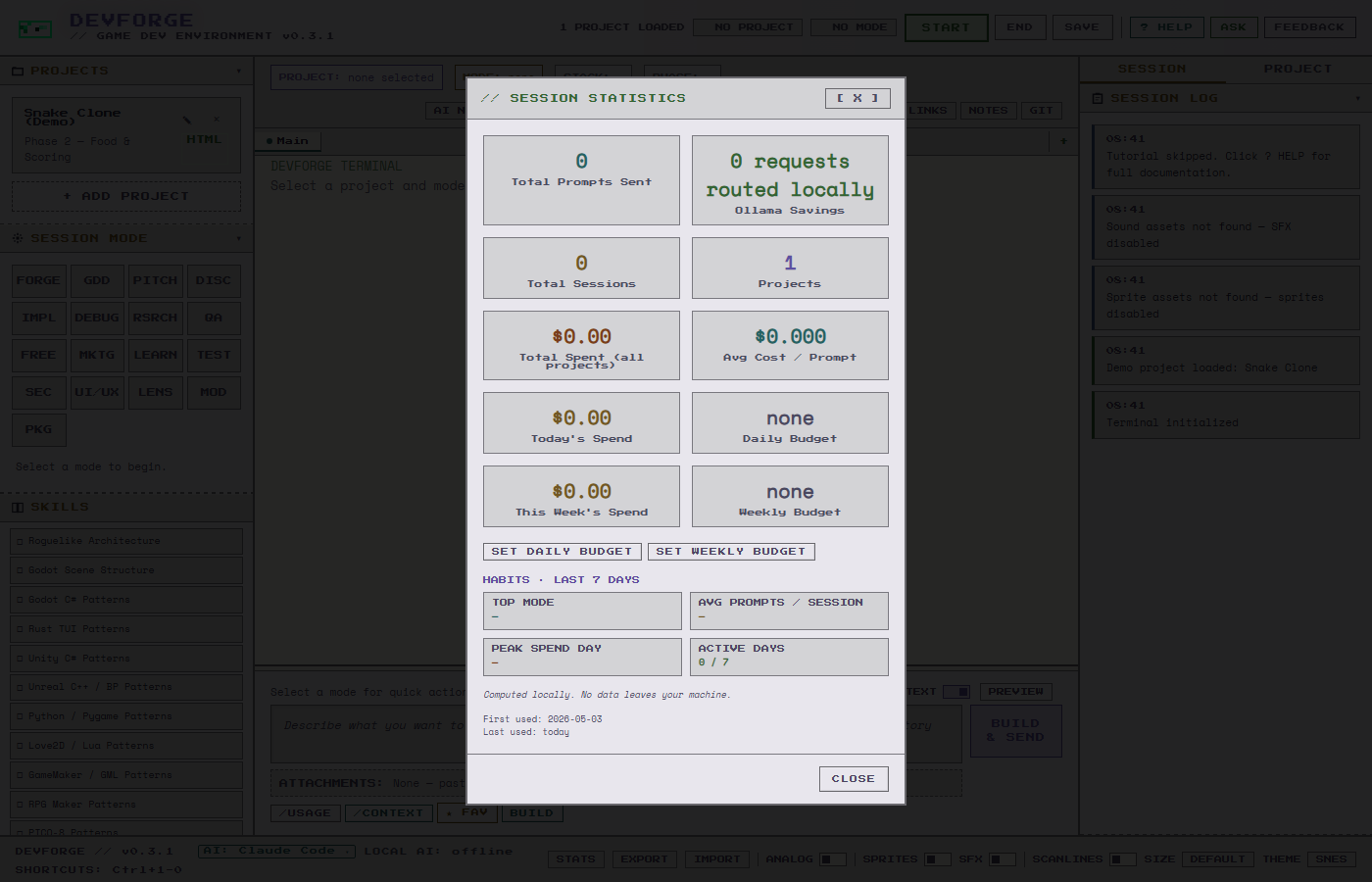
- Cost Tracking - Pre-send dollar estimate, live running-cost chip, burn-rate alert, daily/weekly budget caps, STATS panel with per-project + per-mode breakdowns. Computed locally.
- Native Notifications - Windows Toast / NSUserNotification alerts when DevForge is minimized and a long Claude run finishes.
- HABITS Dashboard - Last-7-days self-insight cards in STATS: Top Mode, Avg Prompts / Session, Peak Spend Day, Active Days. Computed locally.
- ASK Bot Pop-Out - Detach the Ollama-powered helper into its own window. Live context flows main → pop-out so it stays visible across mode switches.
- ~500 Automated Tests - Provider spawning, argument safety, dual-path consistency, pop-out capability, bundle ID migration, malformed-path fallback, joinPath usage, Mac path validation, fs scope.
- Oryx Sprites + SFX - 43 pixel art characters with idle animations, plus 6 boss sprites for milestone events. 8-bit sound effects. All toggleable.
What's next.
Just Shipped - v0.4.0
- 103 New Stack Skills - Platform coverage now 20+ engines and targets: iOS/Android, Godot, Unity, Unreal, Ren'Py, LOVE, GameMaker, RPG Maker, GB Studio, NES/GB/GBA/Genesis, PICO-8, plus 10 classic source-port MOD targets (Doom, Quake 1-3, Diablo, Duke 3D and friends). Every skill web-verified against current docs.
- Run Coordinator - Sidebar shows live status of all active AUTO tabs, with crash recovery.
- hands_off.yaml Awareness - AUTO tabs warn before touching files a project marked hand-tuned.
- Per-Provider Concurrency Caps - Claude 4 / Gemini 3 / Ollama 2, global 9. Replaces the flat limit.
- Per-Tab Provider Runtime - AUTO-tab resume fixed end-to-end. MERGE action for parallel worktree tabs.
- Security Hardening - Hard provider allowlist on session spawning. SSRF allowlist hardening with opt-in remote Ollama hosts.
- Obsidian Vault Export - Export GDD, session notes, transcripts, research, and task lists from the project sidebar.
- Smaller Downloads - Thin-LTO + stripping. Smoke suite grew from 496 to 1085 checks, all green.
- Docs Rewrite - MANUAL and QUICKSTART rewritten to cover the autonomy arc.
Coming Next
- Smarter Autonomous Tabs - Ollama feeds tasks to Claude one at a time. Progress reports after each step.
- Cross-Provider Routing Route different types of work to different providers. Claude for code, Gemini for research, Ollama for lightweight tasks. You configure which providers handle which task types. (Provider-expansion spec ratified; the routing layer is the next build.)
- Pen & Paper RPG Design Tabletop RPG design in analog mode. Dice system design, class building, encounter balance, bestiary generation. Pulls from open SRDs (d20, Fate, Powered by the Apocalypse). Generates fillable character sheets, GM screens, and random tables.
- Art Asset Pipeline Free, browser-based art generation. Base sprites, animated loops, sprite-sheet conversion, with ComfyUI as a local alternative.
- Stack-Aware Test Automation - TEST mode generates real test suites for your stack. Failed tests auto-route to Debug. Works across all 20 platforms.
- Anonymous Usage Insights - Opt-in, transparent, no personal data. Off by default.
v0.5 - Ship & Share
- Localization & Translation - Extract strings, translate, generate locale files for your stack.
- DevForge MCP Server - Use DevForge from VS Code, Cursor, or raw Claude Code. Free and open source.
- Remote Dispatch - Message DevForge from your phone via Telegram.
Pay once, keep it. Claude Code subscription sold separately.
Full details at usedevforge.com
Purchase
In order to download this tool you must purchase it at or above the minimum price of $9 USD. You will get access to the following files:
Development log
- v04 Released1 day ago
- Devforge v0.3.1 — Mac support + cost transparency + LENS mode91 days ago
- v0.2.5 releasedApr 04, 2026
- 0.2.2 ReleasedApr 02, 2026
- v021 releasedMar 31, 2026
- v02 releasedMar 29, 2026
Leave a comment
Log in with itch.io to leave a comment.